Sending a Paid Newsletter by Email
Written By Benjamin McBrayer
Last updated 8 months ago
Before creating a publication, you are taken to the Publish page where you can review the settings for who receives your newsletter.
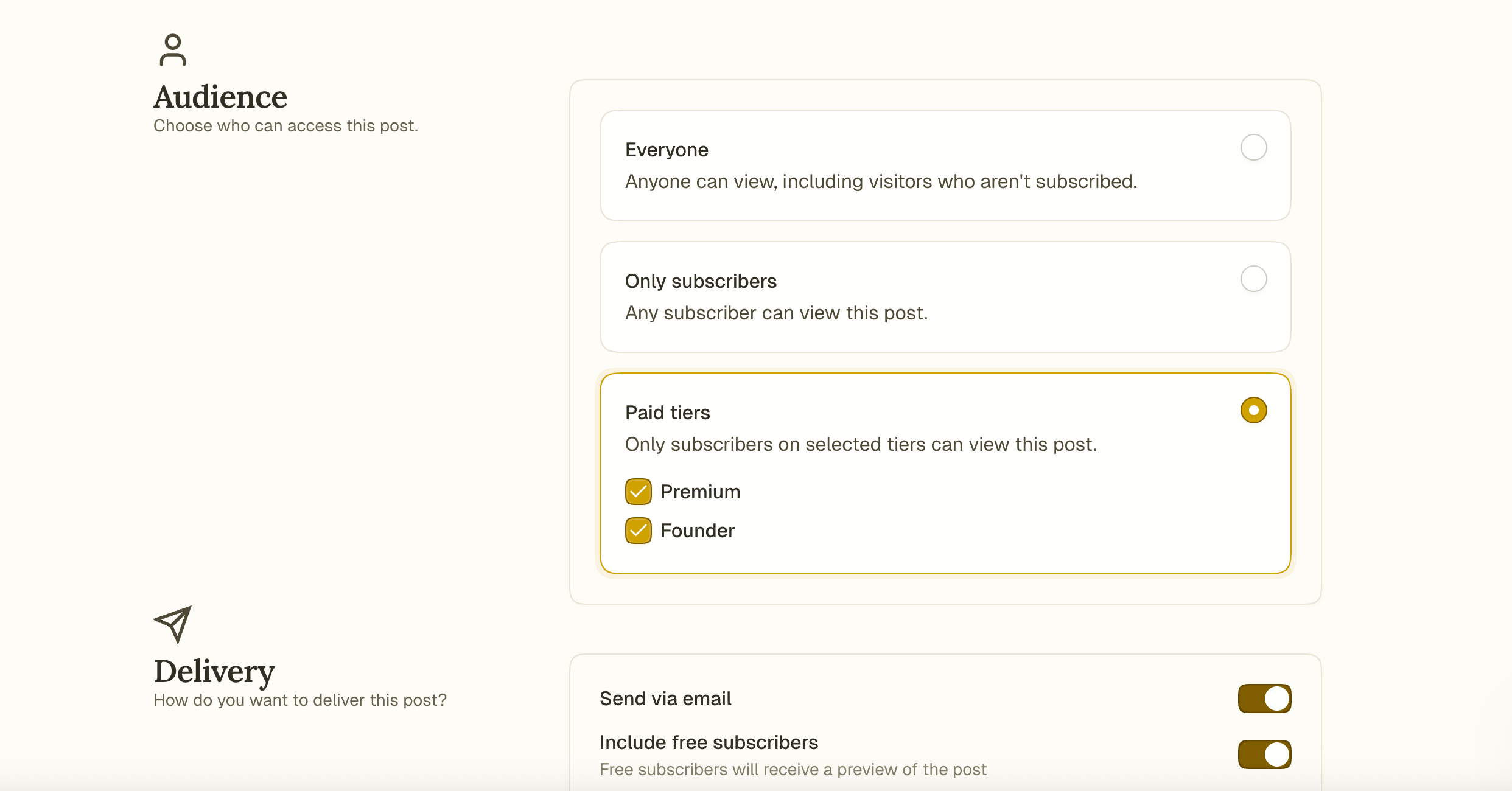
Configure your newsletter settings before sending
You’ll see two important sections on the Publish page:
Audience
Choose who can read the post:
Everyone: public
All Subscribers: free followers and above
Paid Tiers: select one or more specific tiers
Read more about how content access works.
Delivery
Toggle Send Via Email to send the post as a newsletter.
If the post is only for paid tiers and send by email is enabled, you’ll see an additional option:
Include free subscribers: Turn this on and publish to send an excerpt of your post to non-paying subscribers. Free subscribers receive a preview to the post with a note prompting them to upgrade to a paid subscription.
If turned off: Only paid tiers receive the email.
You’ll see a counter at the bottom showing how many people will receive your email before publishing. You can also click Send Test to Myself to preview the email.
Can’t find the answer you are looking for? Ask the Fika Team by clicking on the chat icon in the bottom right corner of your screen. Need a certain feature? Tell us about it in detail on the Feedback page.
Was this helpful?
Still need help? Ask the team